









Cherwell has reached its end of life, with limited support and no major upgrades. For organizations still relying on it, this creates risks as scaling becomes harder, innovation slows, and maintenance costs rise.
At the same time, enterprise needs have evolved. Companies now require platforms that go beyond IT service management. They want connected workflows across IT, HR, Facilities, Finance, Procurement, Security, and Customer Service. Automation, integrated processes, AI support, and real-time visibility are essential for efficiency and growth.
This is why many organizations are migrating to ServiceNow. The platform unifies people, processes, and systems on a modern cloud foundation, making work faster and simpler.
However, migration involves more than licensing costs. Data migration, workflow redesign, integrations, testing, training, and adoption all require significant effort and investment. Understanding these costs early helps organizations plan better, reduce risk, and maximize long-term value.
So, I’m going to walk you through the actual benefits of migration and the cost of moving from Cherwell to ServiceNow.
The benefits of migrating Cherwell to ServiceNow
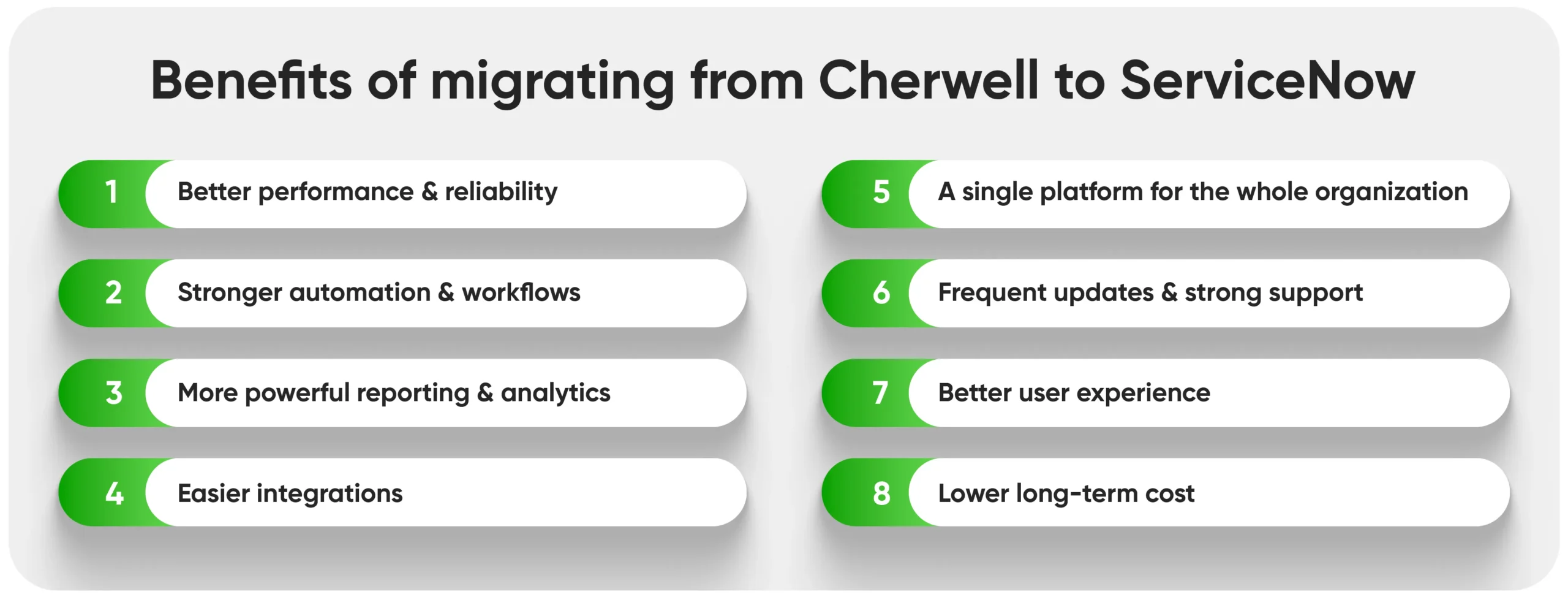
Moving from Cherwell to ServiceNow is about getting a modern platform that supports your growth, improves user experience, and reduces long-term costs. Most companies make the move because they want something stronger, faster, and easier to manage. Here are some simple benefits organizations see after migrating to ServiceNow:
 1. Better performance and reliability
 1. Better performance and reliability
ServiceNow is faster, more stable, and built for large-scale operations. You don’t have to worry about system slowdowns or performance issues when usage increases. Everything runs smoothly, even for large enterprises.
2. Stronger automation and workflows
ServiceNow offers built-in automation that removes repetitive manual work. Tasks that used to take hours like approvals, routing, notifications, and escalations can now run automatically. This means fewer delays and less manual effort for support teams.
3. More powerful reporting and analytics
ServiceNow provides real-time dashboards, KPIs, and analytics out of the box. You can see performance instantly instead of building reports manually or stitching together spreadsheets. Leaders get better visibility and make smarter decisions.
4. Easier integrations
ServiceNow integrates smoothly with tools like Microsoft 365, Teams, Jira, HR systems, finance tools, and monitoring platforms. Many integrations are plug-and-play instead of manually coded, which saves time and reduces dependency on developers.
5. A single platform for the whole organization
Unlike Cherwell, which is mainly focused on IT, ServiceNow supports multiple business areas like HR, Facilities, Legal, Procurement, and Customer Service. This means you can grow on the same platform instead of buying separate tools later.
6. Frequent updates and strong support
ServiceNow receives two major upgrades each year with new features and improvements. You don’t have to worry about outdated technology or end-of-life risks like with Cherwell. You get continuous innovation and support.
7. Better user experience
End users and agents find ServiceNow easier to use. The interface is clean, modern, and mobile-friendly. A better experience leads to happier users and faster adoption.
8. Lower long-term cost
Even though migration requires investment, ServiceNow usually saves money over time. You reduce manual work, system maintenance, downtime, and support effort. Many companies recover their migration cost within the first year through efficiency gains.
Pricing: The Real Cost Breakdown
Every organization’s costing would be different because it depends on how complex the current Cherwell environment is and how much redesign is needed.
To help you plan better, here is a clear breakdown of the major cost areas involved in a Cherwell to ServiceNow migration.
1. Licensing Costs
Licensing is the part everyone knows about. You buy ServiceNow modules based on your needs, such as ITSM, ITOM, HRSD, or CSM. Licensing depends on the number of users, the roles they need, and any add-ons you choose.
But licensing is simply the entry cost. It does not include the work needed to move your data, rebuild workflows, or re-create integrations.
Get the ultimate ServiceNow migration checklist with real packages and costs.
2. Data Migration Costs
Data migration is where most teams spend time and money. Cherwell environments often have old fields, duplicate records, and inconsistent CI relationships. All this needs to be cleaned before moving to ServiceNow.
For example, we helped a team with almost 30,000 CIs. More than half needed manual review because the old data had duplicates and missing relationships. Cleaning this took more hours than expected but it also prevented major issues after go-live.
If your Cherwell data hasn’t been cleaned in years, expect this part to take longer.
3. Process & Workflow Migration
Cherwell workflows don’t convert directly to ServiceNow. They need to be rebuilt or redesigned. You can either recreate the same process or take the chance to simplify it. Redesign usually costs more upfront but saves effort later because ServiceNow works best when kept simple.
For example, one client had a 50-step manual approval chain. Instead of copying it, we redesigned it into a few automated approval rules. The new flow was faster and easier to maintain.
4. Integration Costs
Many teams forget how many systems connect to Cherwell, HR systems, monitoring tools, Active Directory, email, and sometimes custom applications. Each integration needs to be rebuilt in ServiceNow. Some integrations are easy, but others require deeper work, especially if they rely on old Cherwell fields.
On average, integrations take a good portion of the migration budget, especially in large organizations.
5. Configuration vs Customization Costs
Cherwell allowed a lot of customization. ServiceNow works best when built with configuration-first principles. This means many custom scripts or complex logic from Cherwell need to be redesigned to keep your ServiceNow instance upgrade safe.
This takes effort, but it pays off. A clean ServiceNow instance is easier to maintain and cheaper in the long run.
6. Testing, QA & UAT Costs
Testing is another cost teams often underestimate. Every workflow, form, rule, and integration must be tested in ServiceNow. Then you need proper UAT, where real users test the system.
If you skip or rush this phase, you may face defects or downtime after go-live. Post-go-live fixes cost more than testing them early.
7. Change Management & Training Costs
Even if ServiceNow is user-friendly, your team needs training. Agents, managers, and end users should know how the new system works. You may also need updated documentation and communication material. Without training, adoption drops and your support team gets overwhelmed after launch.
8. Partner effort and project management
You will also need project management time, internal SMEs, and a partner team to guide the migration. Partner costs vary based on complexity, number of integrations, and how much redesign you want. In general:
- Simple migrations cost tens of thousands.
- Mid-sized migrations cost in the low hundreds of thousands.
- Complex global migrations go higher due to data, integrations, and phased rollout.
Hidden Costs Organizations Often Miss
1. Cost of poor-quality Cherwell data
If your Cherwell data is outdated, duplicated, or inconsistent, it takes more time and effort to clean and map it into ServiceNow. This slows the project, increases consulting hours, and may require manual cleanup. Clean data moves smoothly, messy data causes delays and surprises.
2. Technical debt and undocumented workflows
Over years, teams build custom rules, scripts, and workflows that nobody remembers or owns. These old items take extra time to understand and rebuild. If no one knows what they do, they still must be analyzed, redesigned, or removed safely which adds extra work.
3. Lost productivity if migration is rushed
If the migration is done too quickly, people spend more time fixing issues after go-live. That means service desk performance drops, users get frustrated, and teams lose time dealing with defects rather than real work. Rushing always costs more later.
4. Cost of running both systems in parallel
Most organizations run Cherwell and ServiceNow at the same time for a short period to reduce risk. During this time, teams are updating both systems, maintaining data, and checking alignment. This means double effort, which increases cost.
5. Time spent on internal coordination
Leaders, SMEs, and IT staff spend hours in workshops, approvals, testing, and decision-making. This internal time may not show up in vendor quotes, but it is a real cost because it takes people away from normal work.
6. Post-go-live stabilization costs
Even with the best planning, issues appear after go-live. Small fixes, data adjustments, workflow tuning, and additional training require extra time and resources. Many teams forget to budget for this stabilization phase.
How to Reduce Migration Costs
One of the best ways to control migration cost is to plan early and make smart decisions before the work begins.
- Assess your Cherwell environment early: Start with a simple discovery exercise. Look at your current data, customizations, integrations, and workflows. Understanding what you have today helps you avoid surprises later and keeps the project within budget.
- Remove unused fields, forms, and workflows: Before migrating, clean up what you don’t need. Delete old forms, retire unused fields, and remove outdated workflows. The less you carry over, the faster and cheaper the migration becomes.
- Choose configuration over customization: Use ServiceNow’s standard features instead of building custom scripts. It’s faster to set up, easier to maintain, and more cost-effective. A clean, configuration-first build also makes future upgrades simpler.
- Work with experienced migration partners: Choose a partner who understands both Cherwell and ServiceNow. Experience helps avoid mistakes, speeds up decision-making, and reduces rework which saves cost.
- Use accelerators and predefined templates: Templates, checklists, and automation tools reduce manual effort. They help you move faster, especially during data mapping and testing. Accelerators keep the project efficient.
- Prioritize critical workflows first: Don’t migrate everything in one go. Focus on the most important workflows first and go live in phases. A phased approach lowers risk, reduces workload, and spreads the cost more effectively.
Simplify Your Move to ServiceNow with Expert Guidance
Moving from Cherwell to ServiceNow is a big step, but it is also a chance to make your IT and business processes work better. The costs of moving can feel high, but planning carefully makes it much easier.
Aelum can help you manage all of this. With our experience and practical tools, we make the migration smoother, reduce risks, and keep costs under control. We help with everything from cleaning data and optimizing workflows to training your teams and supporting them after go-live.
With the right approach, migration becomes easier. It is an opportunity to improve efficiency, make your teams more productive, and get the most value from ServiceNow.
Let Aelum experts help you simplify your ServiceNow migration today
Frequently Asked Questions (FAQs)
1. Should we migrate all our historical ticket data (Incidents/Changes)?
Not always. Migrating every ticket can be time-consuming and expensive. Many organizations choose to move only active, relevant, or recent data while archiving older tickets. This approach reduces migration effort, speeds up go-live and still gives you access to important historical information when needed.
2. Does ServiceNow charge for API integrations like Cherwell did?
No, ServiceNow does not charge per API call like Cherwell. You can integrate multiple systems without worrying about extra API fees. However, complex integrations may require development effort, which should be planned in your migration budget.
3. What is the cost of not training your Cherwell Admin?
Skipping training can be costly. Your admin may struggle to manage workflows, troubleshoot issues, or optimize the new system. This can lead to errors, slower support, and higher reliance on external consultants. Proper training ensures smoother operations, faster adoption, and better ROI from your migration.