This blog will explain to you the basic concept of domain separation. What is the purpose of domain separation? How it can be configured in the ServiceNow platform based on the business needs? What all modules are present and how domain hierarchy works?
Domain separation is a way to separate data into (and optionally to separate administration by) logically-defined domains. Domain separation is extremely well-suited for Managed Service Providers (MSPs) and global enterprises with unique business requirements in various areas of the world.
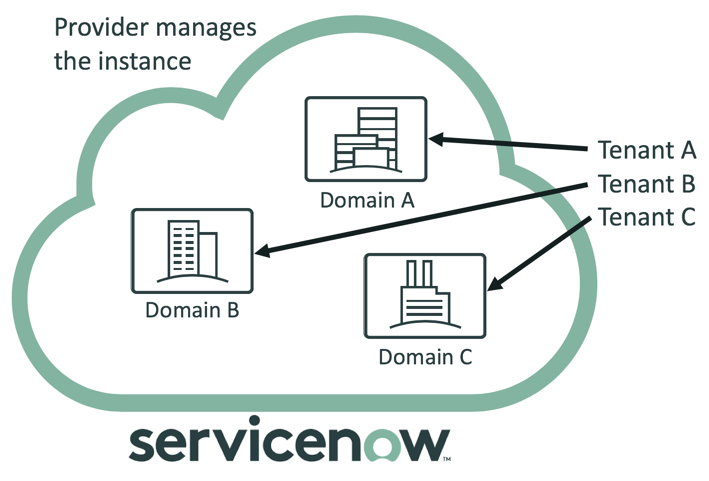
Global Companies with unique business requirements for different parts of the world can segment and customize their instances.
ServiceNow Domain separation is best for those customers who:
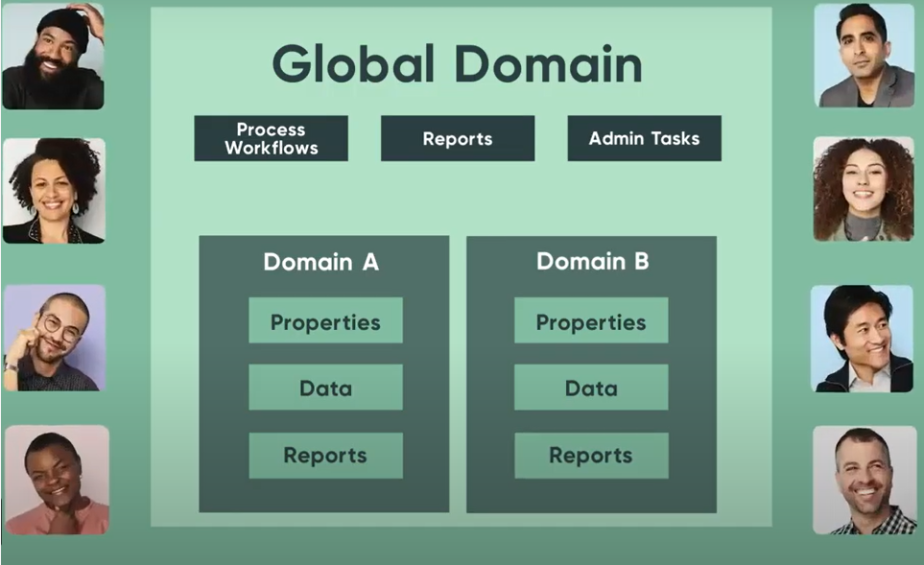
While ServiceNow domain separation provides multi-tenancy support, multi-tenancy is still contained within a single instance. Some global properties, data, and processes are shared across all domains. For example, having the system Remember me on the login page of the system is global and cannot be specified per domain.
If you need complete and total separation of all system properties and do not require global reporting or global processes, then separate instances are the best option.
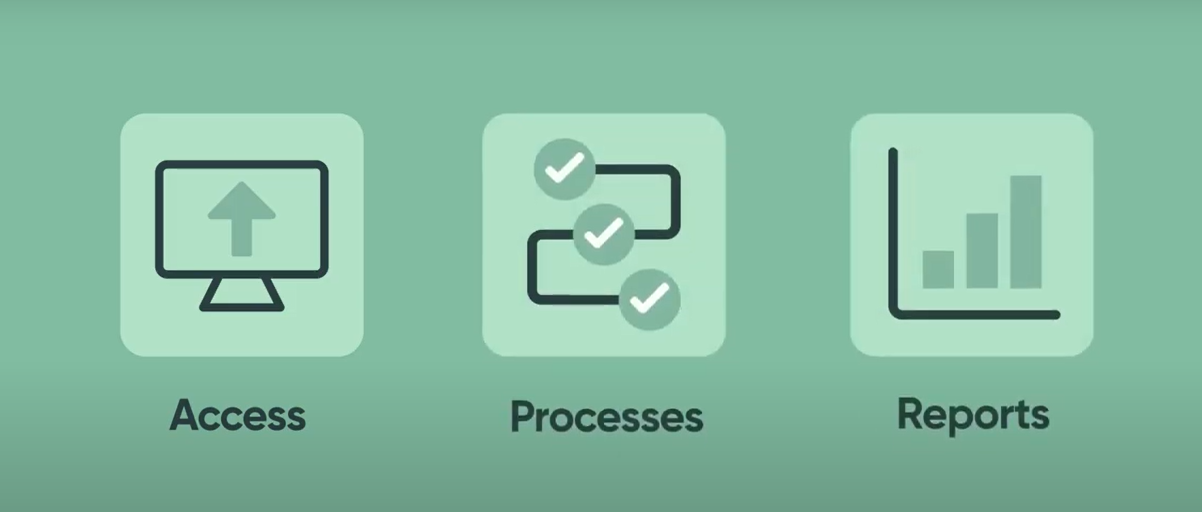
In general, the instance has some global properties, data, and processes that are shared across all domains. But since domain separation is a concept of organizing different processes for different departments of an organization, below are a few points that explain what can be separated using domain separation:
Service providers can alter the displayed branding and UI elements to meet individual customer needs.
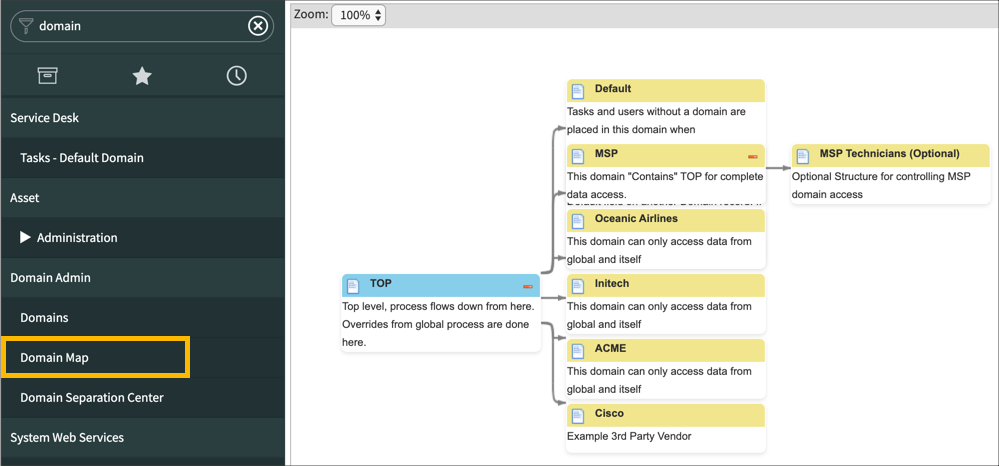
Domain hierarchies help to organize multiple domains and define the relationships between them. It also established parent/child relationships between domains.
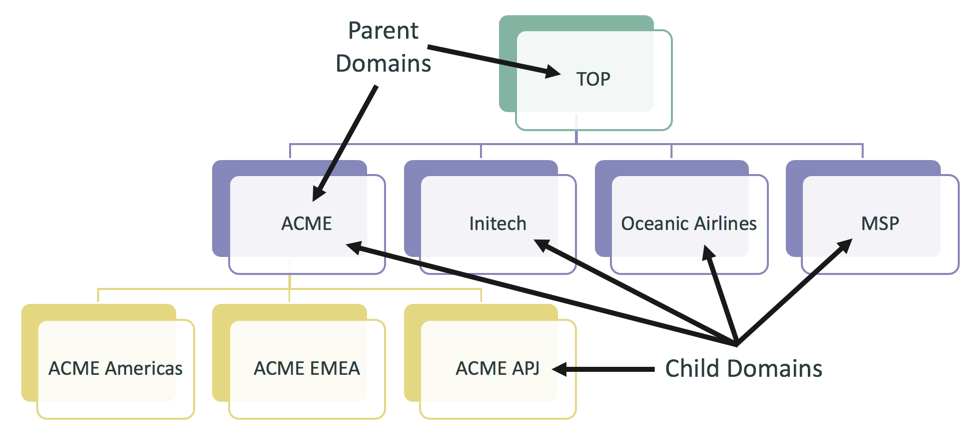
Below shows a brief about domain hierarchy.
Data separation is enforced at the database level through the use of the sys_domain column in tables. To make a customer table domain-separated, add the sys_domain field to the table. When a customer logs n under a domain and pulls up a domain-separated table, the system uses built-in queries to pull data only from that domain.
Process separation is enabled through the use of sys_overrides column. Any table that contains both the sys_domain and sys_overrides field can be configured to have different processes from the parent domain. We can choose to not separate data just processes.
System policies functions can be domain-specific:
Forms, lists, Related Lists, and Choice lists can also be domain-specific. Service providers can even customize the branding and user interface elements for a domain.
The domain_contains table allows users of a domain (the ‘containing’ domain) to see data from another domain (the ‘contained’ domain). This applies to data only not processes.
The sys_user_visibilty and sys_user_group_visibilty tables allow specific users or groups to view data for a domain that they couldn’t otherwise access in the hierarchy.
End-users can raise a support ticket in their instances to get domain separation configured as per their need.
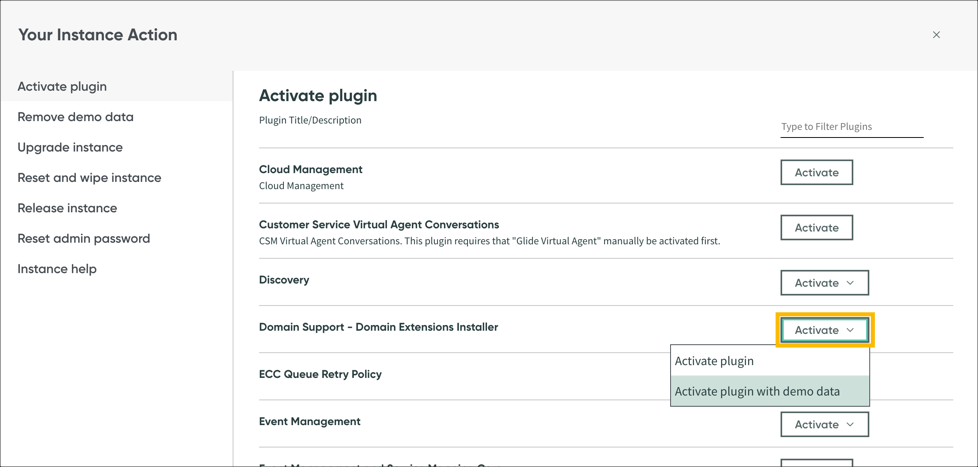
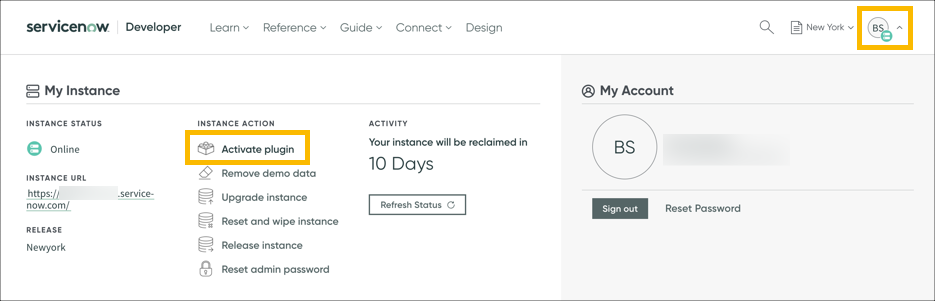
As a developer to set up the Domain Separation, Admin needs to activate the plugin “Domain Support-Domain Extensions Installer” through the developer instance .
Once activated, one can see the ‘Domain Admin’ application menu in the Application Navigator.
Domains Module: –
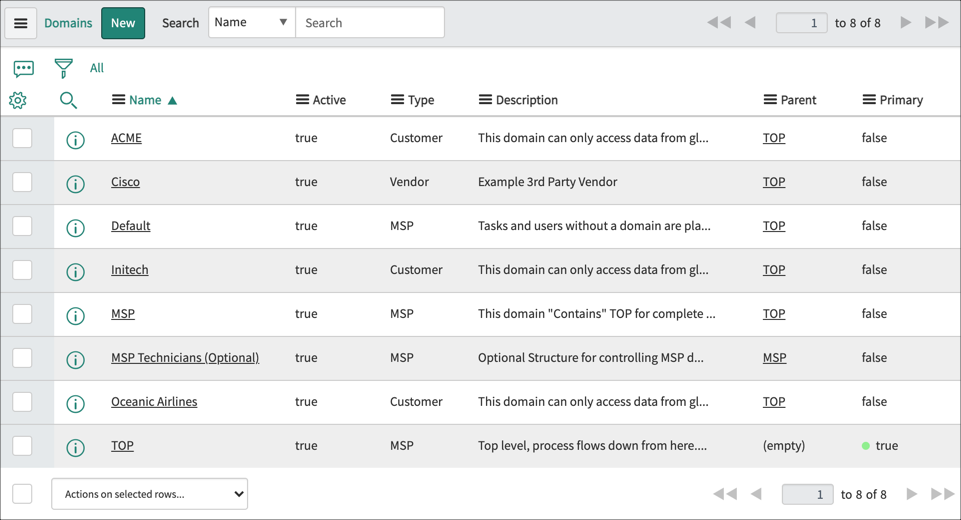
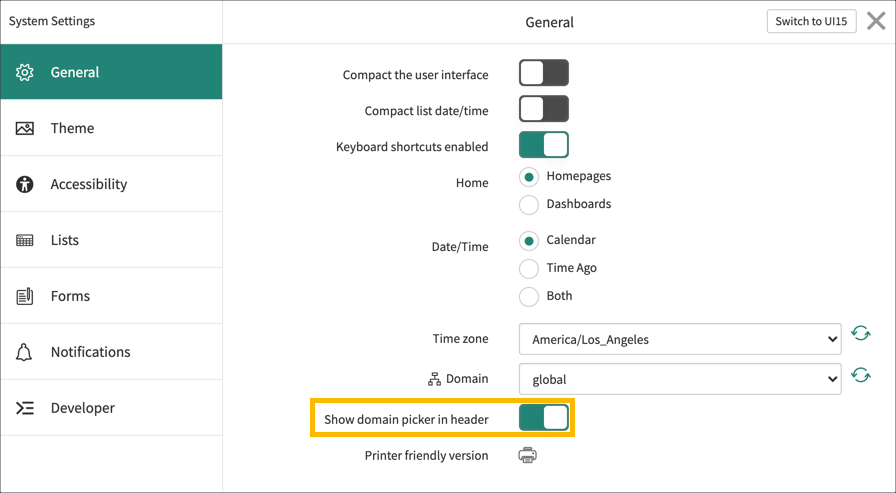
Enabling the Domain picker through system settings enables the Domain selector by default. Through Domain selector one can select a domain from the list of available Domains.
Some tables and applications should never be domain-separated. When the domain Separation plugin s activated, the system adds the following tables as non_domain_separatable:
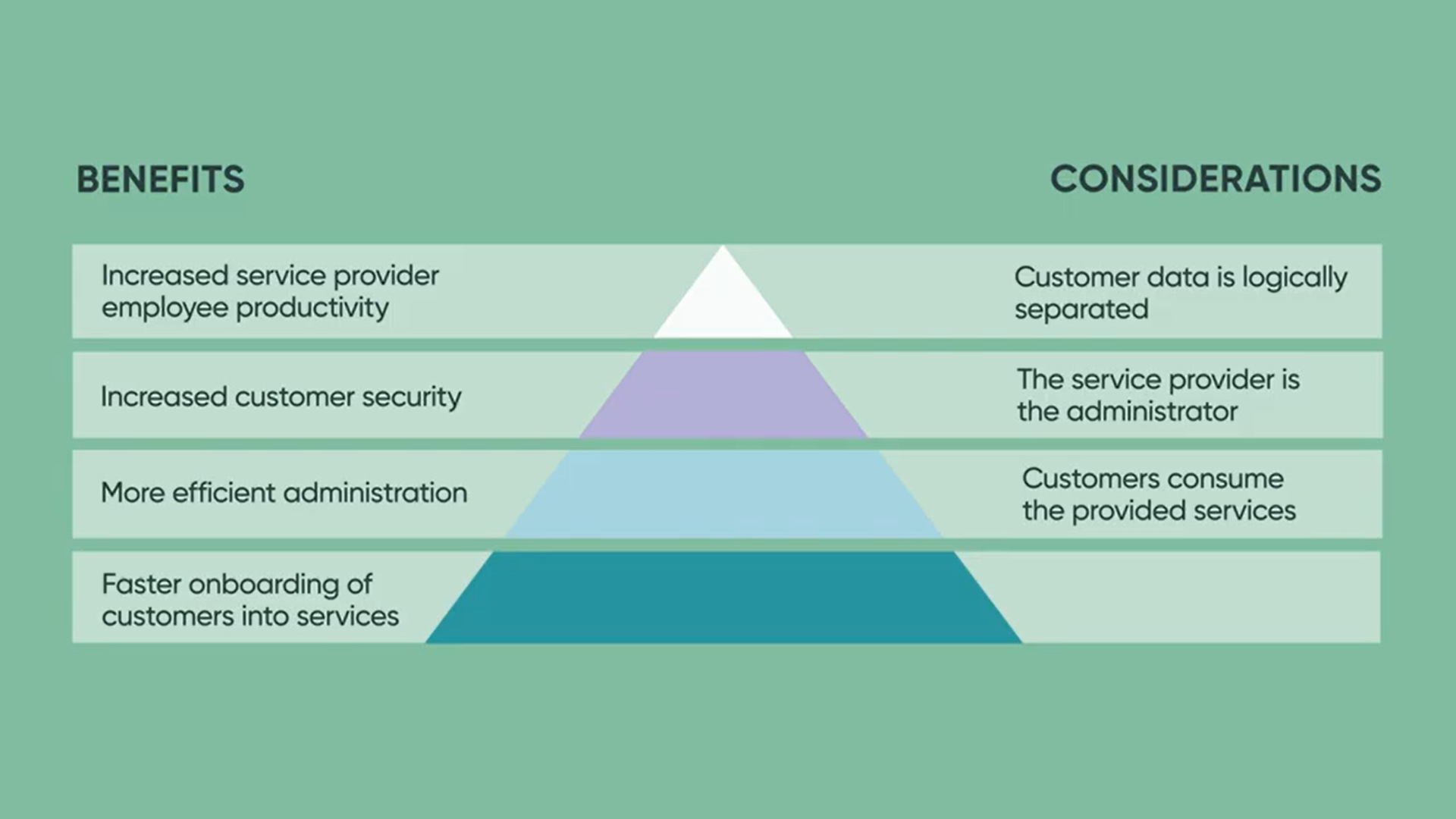
In this blog, we stated a brief idea on what is domain separation, some use cases, and how it can be configured in any instance. Let’s have a summary of what we have seen so far:

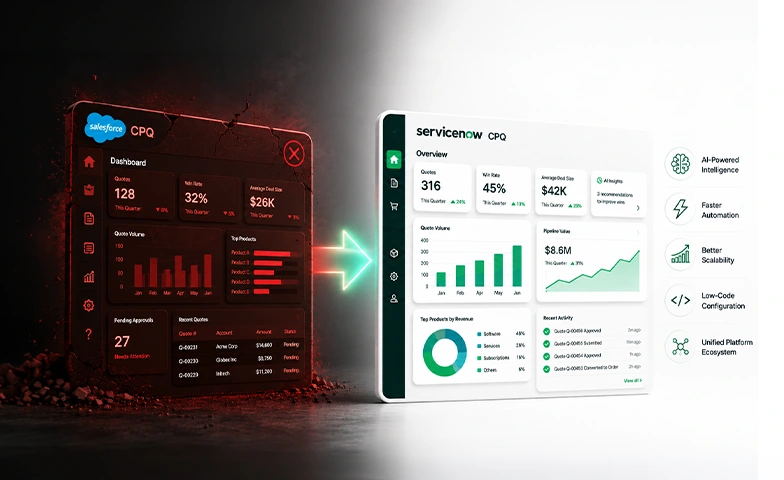
For years, Salesforce CPQ (originally SteelBrick) was the backbone of…
ServiceNow Knowledge has always been the stage where enterprise technology…
You and I, we both know the feeling. We need…